Add and Manage Tenants in Your Properties
The Huurders area records who rents your properties and on what terms. A tenant links a contact (the person) to a property/unit and a lease (dates, rent, deposit). This gives you one place to see who lives where, how much they pay, and what their current status is.
Open Huurders
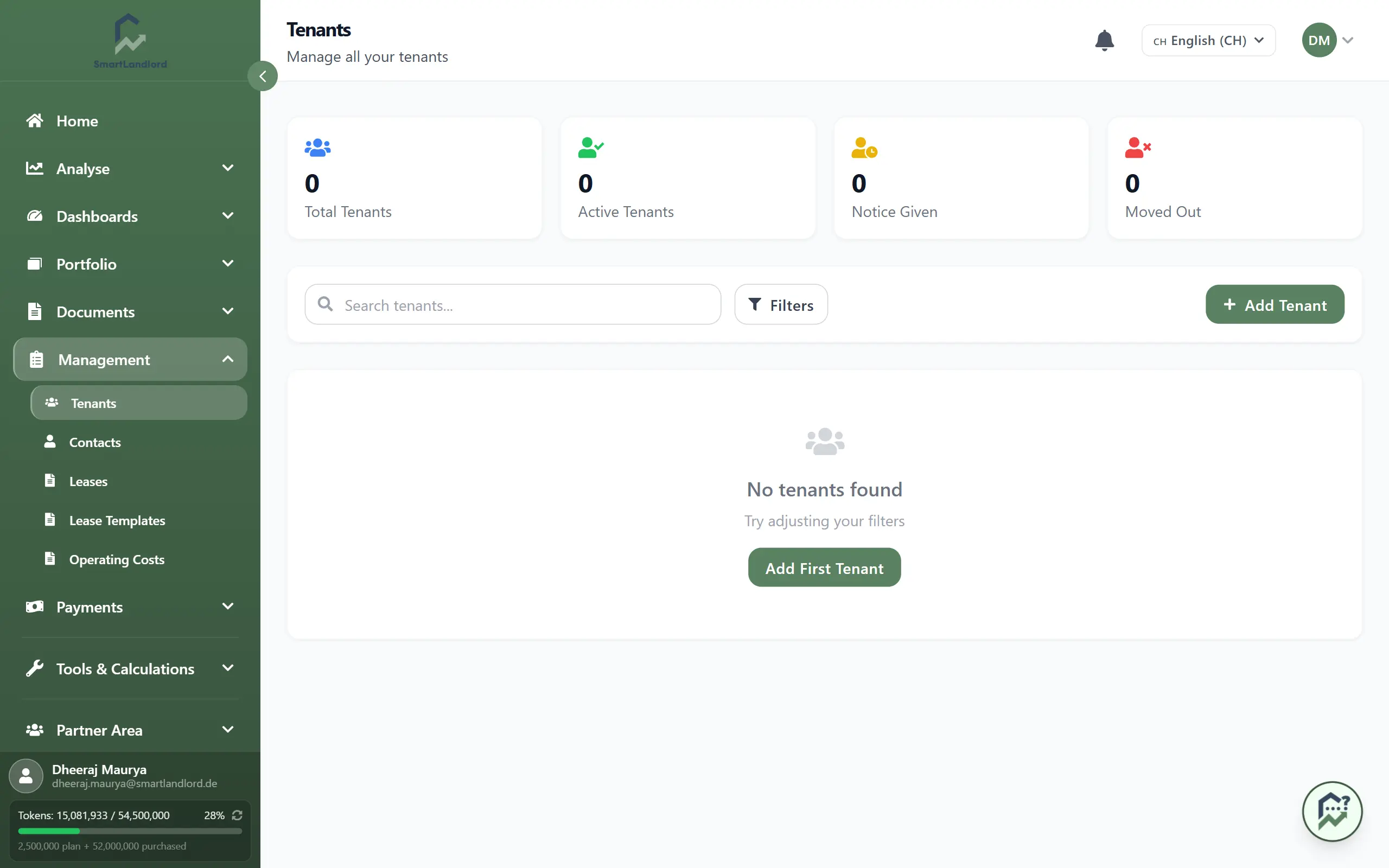
In the sidebar, go to Beheer → Huurders. The tenants list opens with a summary at the top and one card per tenant underneath.
What you see
- Summary cards: Total tenants, Actief, Kennisgeving, Verhuisd. These help you quickly see how many tenants are currently renting, how many have given notice, and how many have moved out.
- Tenant cards showing tenant name, property/unit, monthly rent, deposit status, and lease dates. Each card represents one tenant linked to one unit.
- A search box and a status filter (Alle / Actief / Kennisgeving / Verhuisd) so you can quickly narrow down the list.
Use the search when you know the tenant’s name or property, and use the status filter when you want to focus on active, notice, or moved-out tenants only.
Add a tenant
Click Huurder toevoegen and fill in the form sections from top to bottom:
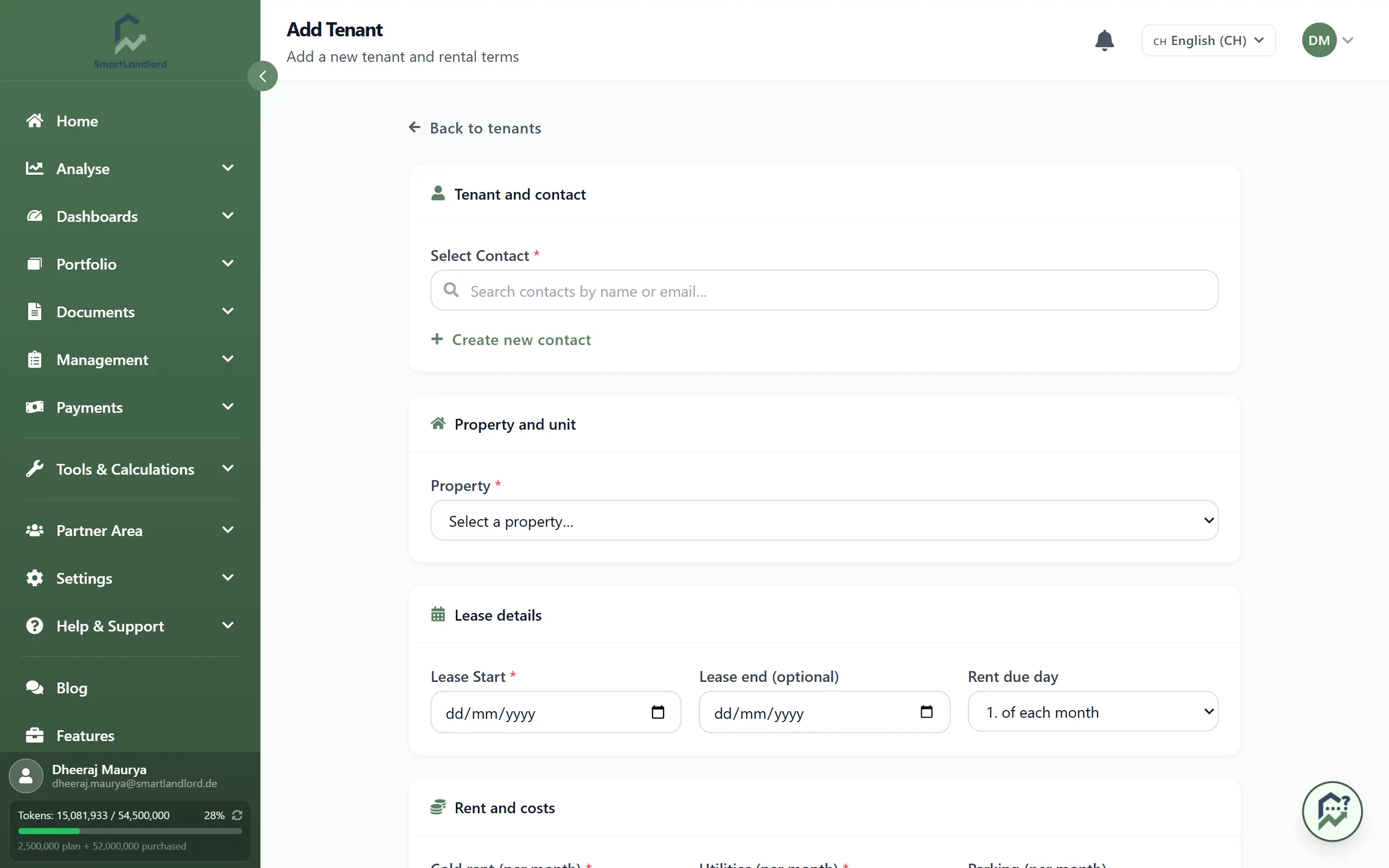
1. Contact — pick an existing contact, or use Nieuw contact maken to add one inline. Re-use existing contacts when the same person rents another unit later so their history stays together.
2. Eigendom en eenheid — choose the Pand (required); pick a Eenheid (optioneel) if it is a building with units. This links the tenant to the right property and unit in your portfolio.
3. Leasegegevens — set Ingangsdatum huur (required), Einde lease (optioneel) (leave blank for an indefinite lease), and the Vervaldag huur. Use an end date for fixed-term leases; leave it empty for ongoing leases.
4. Huur en kosten — enter Koude huur (per maand), Nutsvoorzieningen (per maand), optional Parkeren (per maand), and Borg (required). A Totale warme huur (schatting) is calculated for you so you see the total monthly cost. Use the “Use 3× cold rent” helper to fill a typical deposit amount, and tick Reeds ontvangen borg if the deposit has already been paid.
5. Interne notities — optional, private to you. Use this for internal notes such as move-in condition or special agreements. These notes are not shared with the tenant.
Click Huurder aanmaken to save. Fields marked with * are required; if something is missing or invalid, the form highlights what needs your attention.
After adding
On each tenant card you can:
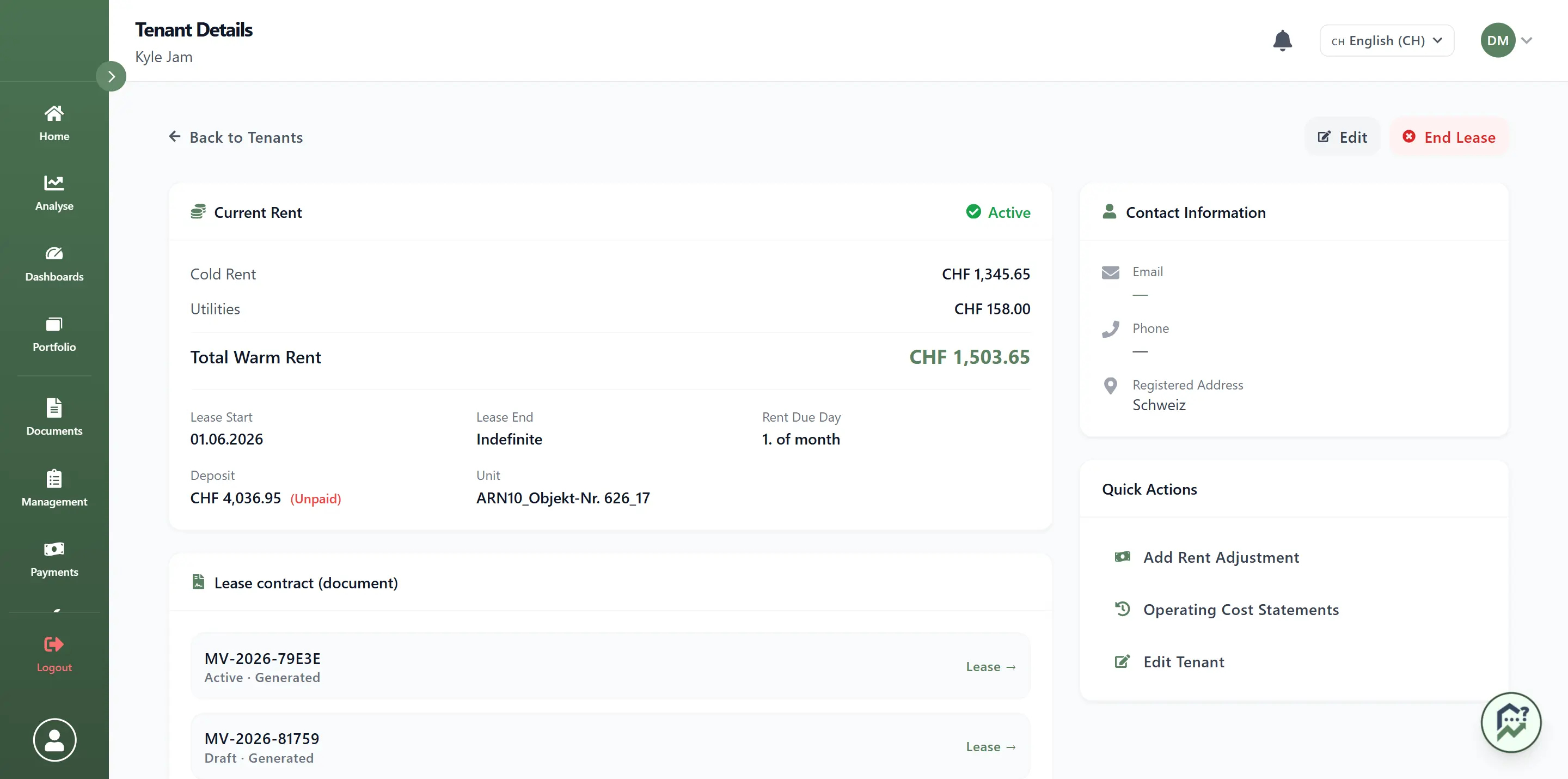
- Open Details to see full tenant and lease details.
- Click Bewerken to update dates, rent, deposit, or other information if the lease changes.
- Use Huur aanpassen to run a rent increase directly from this tenant.
Edit existing tenants instead of deleting them, so your history, payment tracking, and reports stay accurate.
Related areas (under Beheer)
- Contacten — your directory of people (tenants, contractors, banks, authorities). You can import contacts. Deleting a contact marks it inactive rather than removing it, so you can keep the history; use the status filter to show inactive contacts.
- Huurcontracten — stored lease documents linked to tenants, with their status (for example, draft, signed, or expired).
- Huurcontractsjablonen — reusable contract templates (admin only) that you can use when creating new leases so your contracts stay consistent.