User Settings — Customize Your Account and Preferences
Manage your account settings under Instellingen → Gebruikersinstellingen.
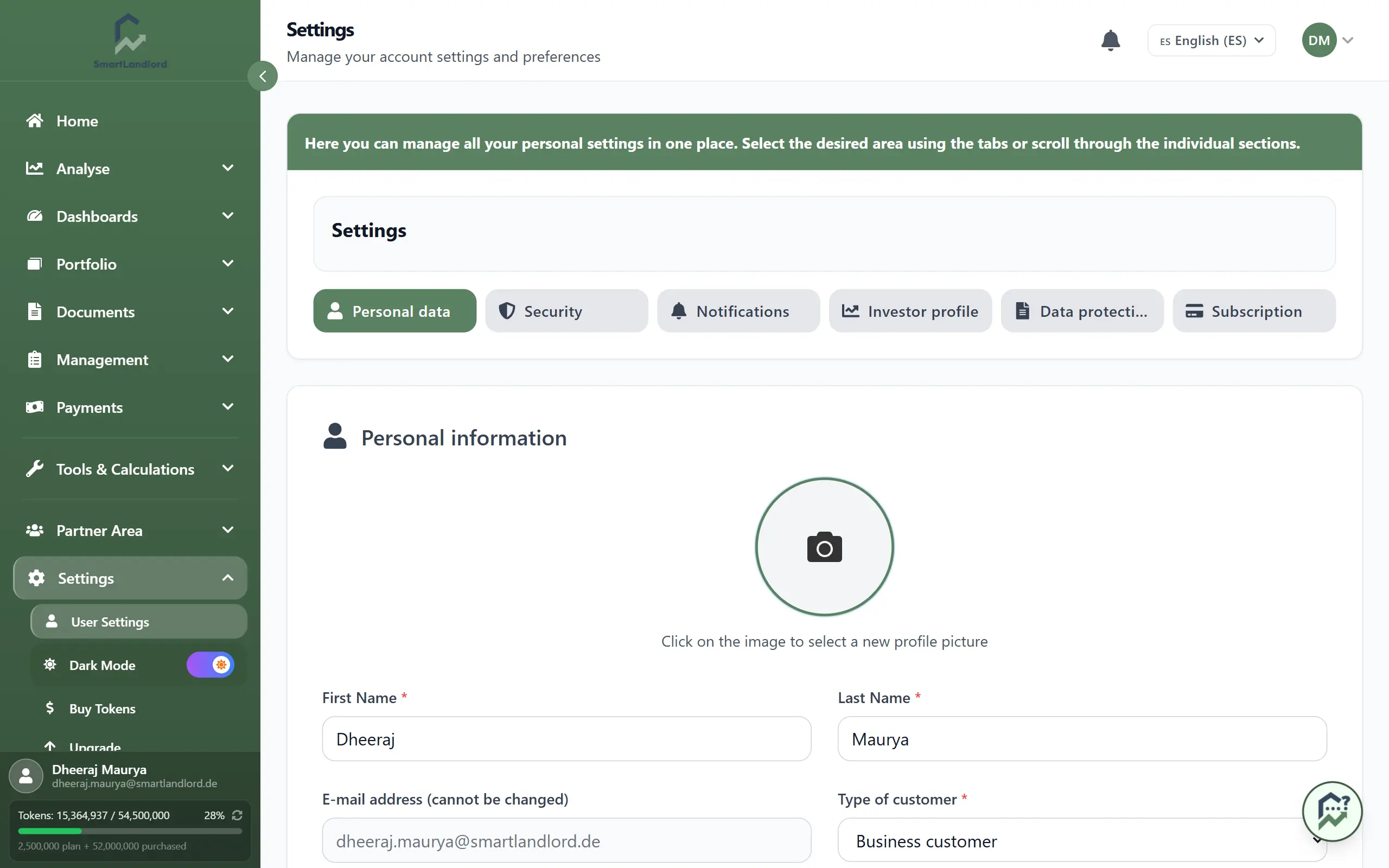
The User Settings area allows you to manage your personal information, account security, notification preferences, privacy settings, and subscription details from one place.
Overview
The User Settings page is divided into multiple tabs, each covering a specific area of account management.
Available tabs include:
- Persoonlijke gegevens
- Beveiliging
- Meldingen
- Beleggersprofiel
- Privacybeleid
- Abonnement
Keeping your settings up to date helps ensure that account information, communication preferences, and security settings remain accurate.
Persoonlijke gegevens
Use this section to manage your personal account information.
You can update:
- Your name.
- Profile photo.
- Phone number.
- Date of birth.
- Voorkeurstaal.
Keeping your profile information current helps ensure that account records remain accurate and that communication preferences are applied correctly.
Review this section periodically whenever your contact information changes.
Keep your email address, phone number, and preferred language up to date to ensure you receive important account notifications and communications.
Beveiliging
Use this section to protect your account.
Available options may include:
- Changing your password.
- Reviewing security settings.
- Setting up two-factor authentication (2FA).
- Managing account access and authentication preferences.
For security reasons, use a strong password and enable two-factor authentication whenever possible.
Regularly reviewing security settings can help maintain account protection and reduce the risk of unauthorized access.
Enable two-factor authentication (2FA) whenever available and use a strong, unique password to improve account security.
Meldingen
Control which notifications and emails you receive from SmartLandlord.
Depending on your account settings, you may be able to choose whether to receive:
- Product updates.
- System notifications.
- Billing-related emails.
- Property and portfolio alerts.
- Other account communications.
You can update these preferences at any time.
Notification settings help you decide which information is most relevant to you while reducing unnecessary emails.
Beleggersprofiel
Use this section to define your investment profile and goals.
Information stored here may be used to personalize recommendations, analyses, and platform experiences.
Typical information includes:
- Investor type.
- Investment objectives.
- Risk preferences.
- Portfolio growth goals.
Keeping this information current helps SmartLandlord provide more relevant insights.
Keep your investor profile updated so recommendations, analyses, and portfolio insights remain relevant to your current goals.
Privacybeleid
Manage your privacy preferences and data-related settings.
This section may include:
- Cookie preferences.
- Privacy settings.
- GDPR-related options.
- Data export requests.
If required, you can request an export of your account data for personal records or compliance purposes.
Review privacy settings periodically to ensure they reflect your preferences.
Review privacy settings and cookie preferences periodically to ensure they match your current requirements.
Abonnement
View and manage your subscription information.
This section provides access to:
- Current plan information.
- Token usage.
- Property limits.
- Billing details.
- Payment methods.
- Subscription management options.
For detailed information about plans, billing, and tokens, refer to the Subscription guide.
Reviewing subscription information regularly helps you understand current limits and available resources.
Monitor token balances, property limits, and billing information regularly to avoid interruptions to your SmartLandlord services.
Best practices
- Review your personal information regularly.
- Keep your email address and phone number up to date.
- Enable two-factor authentication for additional security.
- Update notification preferences to match your needs.
- Periodically review privacy and subscription settings.
- Review account settings whenever important personal information changes.
The User Settings area provides a central place to manage your account, security, preferences, and subscription information.