Manage Your SmartLandlord Subscription
Use the Abonnement section to view your current plan, monitor token usage, manage billing information, and review your account limits.
You can access it from:
Instellingen → Abonnement
or directly through:
Tokens
What you see
The Subscription page provides an overview of your SmartLandlord plan and usage.
Here you can review:
- Your current subscription plan.
- Billing period and subscription status.
- Token usage and remaining balance.
- Gekochte tokens (resterend).
- Eigendomslots (planlimiet).
- Payment and billing settings.
This information helps you understand your current usage and available capacity.
Reviewing this page regularly can help you stay aware of subscription limits and available resources.
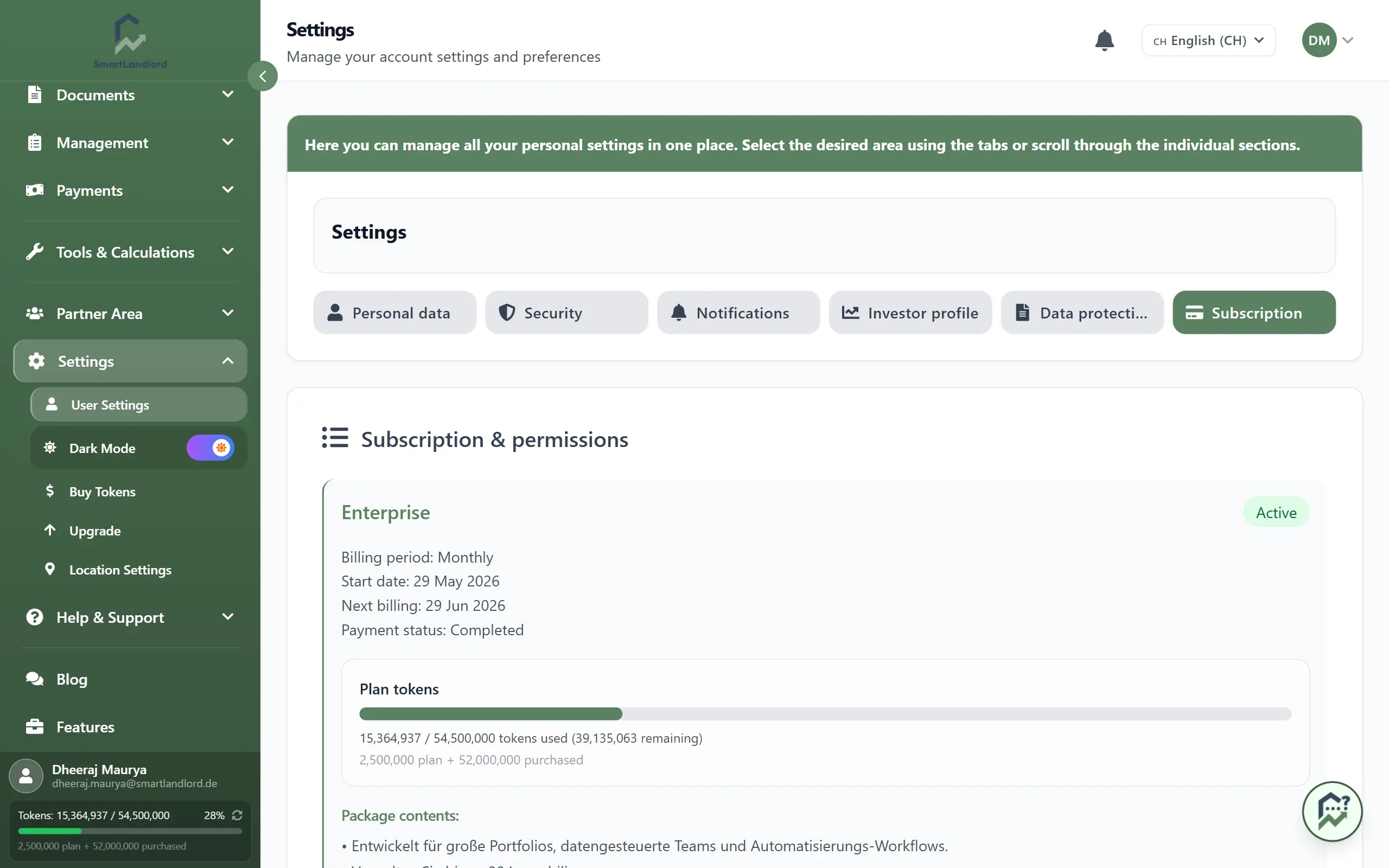
Token usage
Under Plan-tokens, you can monitor how many tokens have been used and how many remain available.
The page shows:
- Included plan tokens.
- Used tokens.
- Remaining tokens.
- Purchased token balances.
Tokens are consumed when using AI-powered analyses and other token-based SmartLandlord features.
Monitoring token usage regularly helps avoid interruptions when running analyses.
Always review your available token balance before starting larger analyses. Insufficient tokens may prevent certain AI-powered features from running.
Reviewing token balances before starting larger analyses can help ensure that sufficient tokens remain available.
Property limits
The Eigendomslots (planlimiet) section shows the maximum number of properties included in your subscription.
If you reach this limit:
- New properties cannot be added until capacity becomes available.
- SmartLandlord may prompt you to upgrade your subscription.
- Existing properties remain accessible.
Review this section regularly if your portfolio is growing.
Once your property limit is reached, additional properties cannot be added until capacity is increased or a higher plan is selected.
Keeping track of property limits helps you understand when additional capacity may be required.
Managing your subscription
The Subscription section allows you to manage your plan and billing.
You can:
- Review your current plan.
- Upgrade your subscription.
- Manage renewal settings.
- Review billing information.
- Cancel your subscription when required.
Any changes made to your subscription are reflected in this section.
Reviewing subscription information periodically can help ensure that your plan continues to match your usage requirements.
Managing payment methods
Open Betaalmethoden to manage billing details.
From here you can:
- Add a payment method.
- Update an existing payment method.
- Replace expired payment information.
- Review billing details associated with your subscription.
Keeping payment information current helps ensure uninterrupted access to your subscription.
Expired or invalid payment information may result in failed renewals or interruptions to subscription services.
Review payment information whenever billing details change to help avoid payment-related issues.
Buying additional tokens
Use Tokens kopen to purchase additional tokens whenever required.
Purchased tokens are displayed separately from the tokens included with your subscription and can be used once your included balance has been consumed.
This allows you to continue using token-based features without immediately changing your subscription plan.
Additional tokens can help provide flexibility when your usage temporarily exceeds the amount included with your current plan.
Important information
Free tokens provided with your account are a one-time lifetime allowance and are not a temporary trial balance.
Once these tokens have been consumed, additional usage may require purchased tokens or a subscription with a higher token allocation.
Always review your available balance before running large analyses.
Free tokens are a one-time lifetime allowance. After they are used, additional usage may require purchased tokens or a higher subscription plan.
Understanding the difference between included tokens and purchased tokens can help you plan future usage more effectively.
Best practices
- Monitor token usage regularly.
- Keep payment methods up to date.
- Review property limits as your portfolio grows.
- Purchase additional tokens before your balance becomes too low.
- Review your subscription periodically to ensure it matches your usage requirements.
- Check available balances before starting larger analyses.
- Review billing information whenever account details change.
The Subscription section provides a central place to manage your SmartLandlord plan, billing settings, token usage, and account limits.