Partner Onboarding — Complete Your Partner Registration
Becoming a partner starts with a short onboarding flow. If you have not finished it yet, use Onboarding voortzetten to pick up where you left off.
The onboarding process collects the information required to set up your partner account and prepare it for referrals, communication, and future payouts.
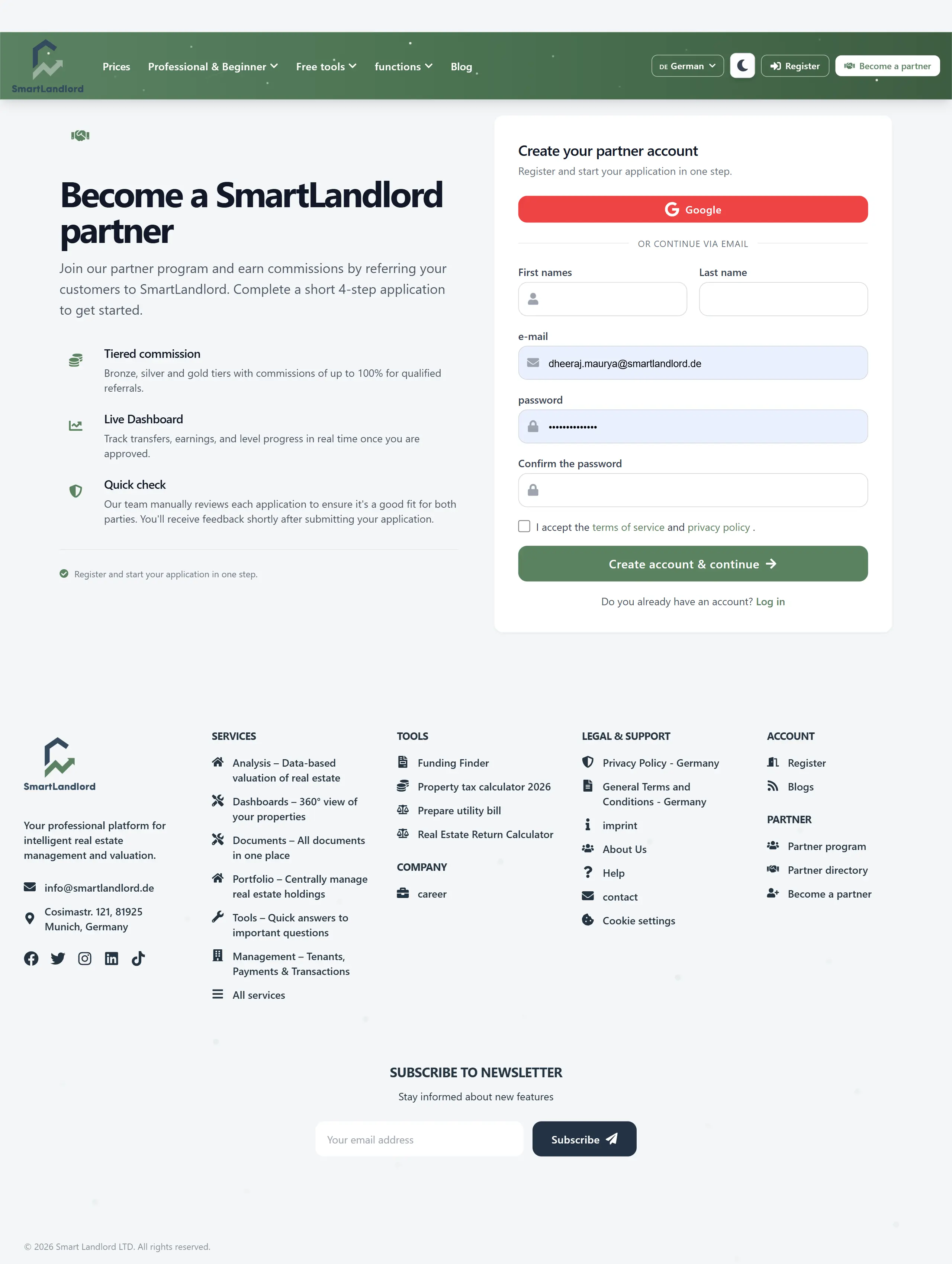
1. Start your application
1. Sign up for an account or log in with your existing account.
2. Start a partner application from the partner area (for example via a “Become a partner” or similar entry).
During this step you confirm basic details and accept the partner terms.
Review all information carefully before continuing. Incorrect details may delay the onboarding and approval process.
Before continuing, review the information you provide and make sure it is accurate. Correct information helps avoid delays during the onboarding process.
2. Verify your email
After starting the application, you receive a verification email:
- Open the email sent to your registered address.
- Click the verification link to confirm your email.
If you do not see the email, check your spam folder or request it again from the onboarding screen.
Email verification is required before your partner account can proceed through the onboarding process.
Email verification confirms ownership of the email address and ensures that important account and partner-related messages can be delivered correctly.
3. Complete your partner profile
Next, fill in the required profile details so payouts and communication work correctly. Typical fields include:
- Your name and contact details.
- Company information (if applicable).
- Country and tax-relevant information.
You can return to this step any time with Onboarding voortzetten until everything is complete.
Make sure all profile information is complete and accurate. Incorrect information may affect communication, verification, or future payouts.
Providing complete and accurate profile information helps ensure that future communication and account administration can be handled correctly.
4. Review your information
Before submitting your onboarding information, review the details you have entered.
Check that:
- Contact information is correct.
- Email information is verified.
- Company information has been entered correctly.
- Required fields have been completed.
Missing or incorrect information can delay approval and may require additional follow-up before your application can be processed.
Taking a few moments to review the information can help prevent delays and reduce the need for corrections later.
5. Approval and access to the dashboard
Once your application is reviewed and approved:
- Your Partner-dashboard unlocks.
- You get access to your referral link, coupon code, and marketing materials.
- You can start referring customers and tracking your earnings.
If approval takes longer than expected, check your email for questions from support or revisit the onboarding screen for status information.
After approval, you can access the partner area and begin using the available referral resources.
6. Continuing an incomplete application
If you leave the onboarding process before it is finished, you can return later and continue where you stopped.
Use Onboarding voortzetten to reopen the onboarding flow and complete any remaining steps.
This allows you to finish the process at a later time without starting over.
Your progress is preserved, so you can safely return later and continue from the last completed step.
7. Tips
- Complete all required information before submitting your application.
- Verify your email as soon as possible.
- Review profile details carefully before finishing onboarding.
- Use Onboarding voortzetten if you need to return later.
- Check your email regularly for onboarding updates or requests for additional information.
Completing onboarding successfully is required before you can access the partner dashboard, referral tools, and payout features.
Completing onboarding successfully gives you access to the partner dashboard and the tools required to begin participating in the partner program.