Getting Started with SmartLandlord
Welcome to SmartLandlord. This guide will help you understand the main areas of the platform and where to find the most important features.
SmartLandlord helps you analyze, manage, and track your rental properties from a single place. Most features can be accessed from the sidebar navigation.
Most SmartLandlord features depend on information stored elsewhere in the platform. Keeping your property, tenant, financing, and payment information up to date helps ensure accurate analyses, dashboards, and reports.
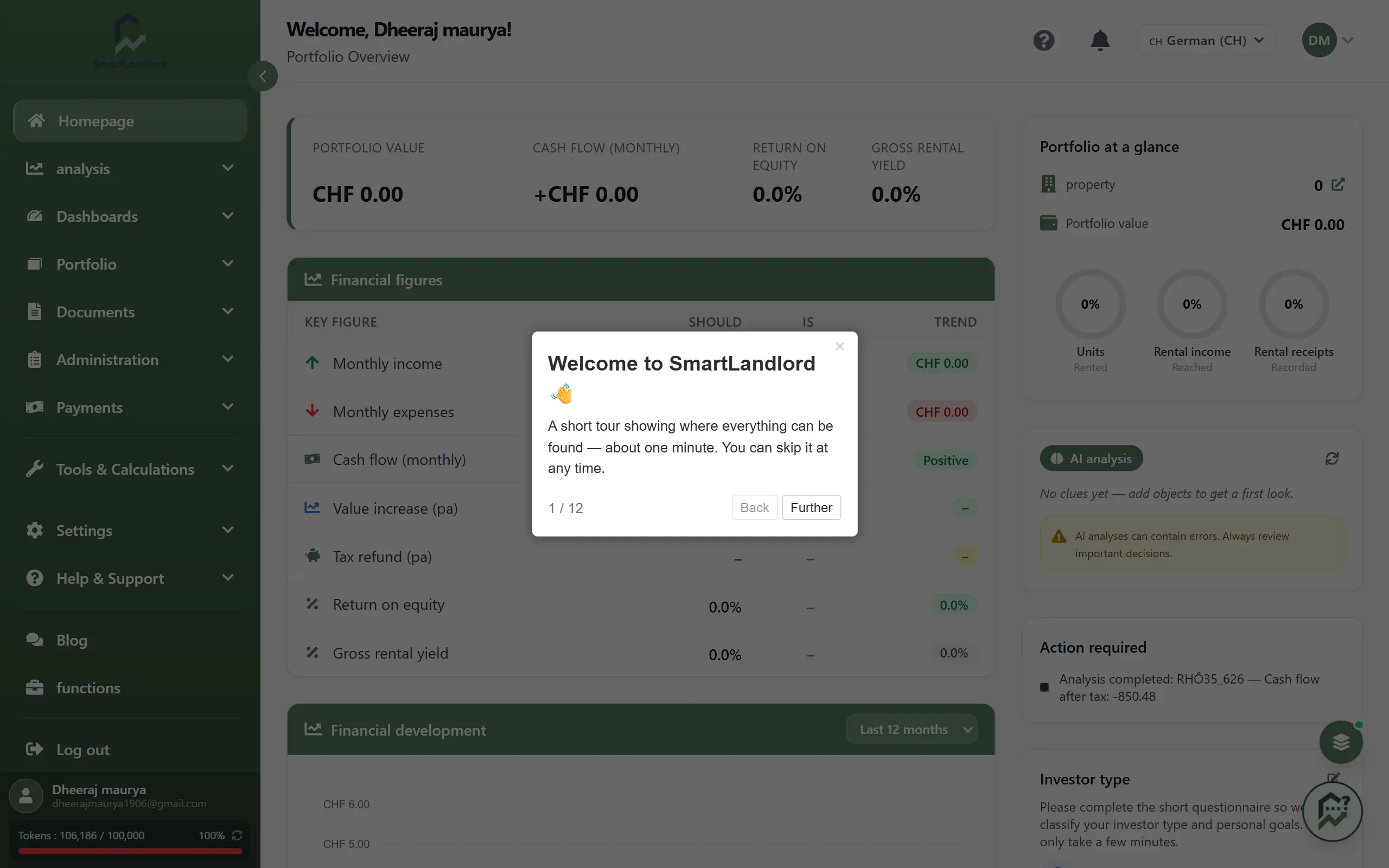
Main areas
Analyse
Analyze properties before or after purchase.
This section includes tools such as:
- ImmoCheck
- EnergyCheck
- LocationCheck
- ScenariosCheck
Use these tools to evaluate investment opportunities and review property performance.
The analysis area helps you understand a property's potential before making decisions and allows you to review important property information after it has been added to your portfolio.
Portfolio
Manage your properties and financing information.
From here you can access:
- Mijn inventaris
- Property profiles
- Financing and loan information
This is the central area for managing your portfolio.
Once properties have been added, you can review property information, financing data, and other portfolio-related details from this section.
Beheer
Manage the operational side of your properties.
This section includes:
- Huurders
- Contacts
- Leases
- Exploitatiekosten
Use it to manage tenants, documents, and property-related administration.
Many day-to-day property management activities are handled from this area.
Betalingen
Track financial activity related to your properties.
Depending on your setup, you can:
- Connect bank accounts.
- Track rent payments.
- Monitor expenses.
- Review transaction history.
Keeping payment information up to date helps ensure that financial records remain accurate.
Dashboards
View portfolio performance and key metrics.
Dashboards help you monitor:
- Cashflow.
- Financing.
- Energy performance.
- Portfolio statistics.
The dashboard area provides an overview of important information collected throughout the platform.
Tools en berekeningen
Access calculators for taxes, financing, cashflow, and other investment-related calculations.
The available tools depend on your account country.
These tools can help you perform calculations without leaving the platform.
How the sections work together
The different areas of SmartLandlord are connected.
For example:
- Properties added through analysis tools become available in your portfolio.
- Tenant information can be linked to properties and leases.
- Payment information can be reviewed alongside property records.
- Dashboard information is generated using data stored throughout the platform.
Changes made in one area of SmartLandlord can affect dashboards, reports, analyses, and calculations in other areas.
Keeping information up to date helps ensure that reports, dashboards, and other features remain accurate.
Getting started
If you are new to SmartLandlord, the best place to begin is ImmoCheck.
Adding your first property is the foundation for most SmartLandlord features. Many analyses, dashboards, financing views, and reports require at least one property in your portfolio.
Adding your first property allows SmartLandlord to generate analyses, dashboards, financing information, and portfolio insights based on your property data.
Once your property has been added, you can continue with tenant management, payments, dashboards, and other portfolio tools.
Suggested next steps
A typical workflow for new users is:
1. Add your first property.
2. Review the generated analysis.
3. Add tenant information if applicable.
4. Review financing information.
5. Explore the available dashboards.
6. Use additional management and reporting features as needed.
Following these steps helps you become familiar with the main areas of the platform and ensures that important information is available throughout SmartLandlord.
Keeping information current
Many SmartLandlord features rely on information stored throughout your account.
Updating property, tenant, financing, and payment information regularly helps ensure that analyses, dashboards, and reports reflect the latest available data.
Outdated information can lead to inaccurate reports, calculations, forecasts, and dashboard results.
Accurate information makes it easier to manage properties and review portfolio performance over time.