Help and Support — Get Assistance from SmartLandlord
SmartLandlord provides several ways to get assistance when you have questions about the platform, your account, or property management workflows.
Whether you need a quick answer, want to contact the support team, or need to follow up on an existing issue, you can access all support options from the Help Center.
Ask the assistant
The SmartLandlord Assistant is the fastest way to get answers to common questions.
You can ask questions in plain language about:
- Using SmartLandlord features.
- Property management workflows.
- Investment analysis and calculations.
- Taxes and documentation.
- Account and subscription topics.
To start a conversation:
1. Open SmartLandlord Assistant.
2. Click Nieuwe chat.
3. Enter your question.
You can also upload files, use voice input, and continue previous conversations when available.
The assistant is designed to help you find information quickly without creating a support ticket.
Many common questions can be answered immediately through the assistant, making it a useful first step before contacting support.
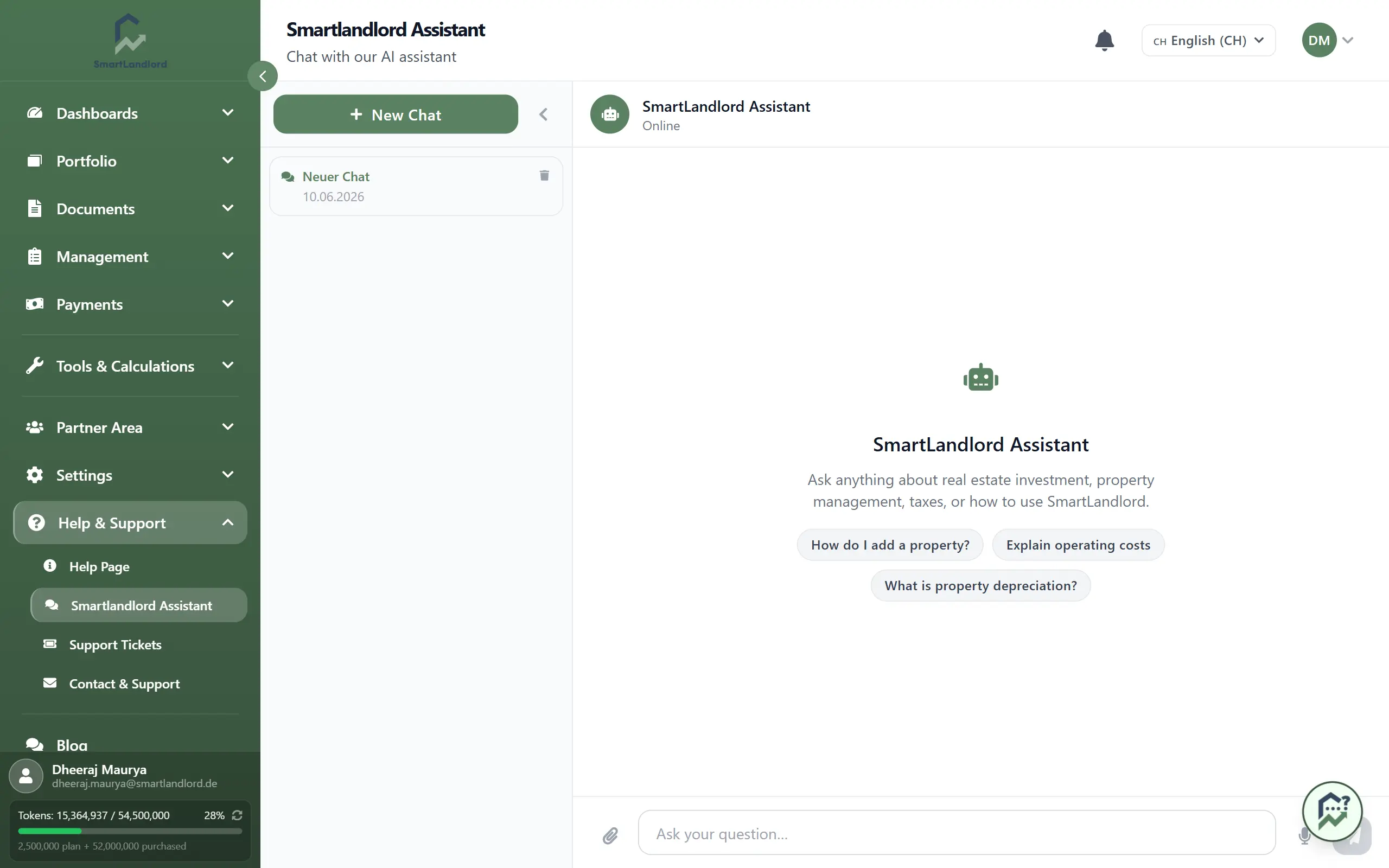
For most general questions, start with SmartLandlord Assistant before creating a support ticket. Many issues can be resolved immediately.
Contact support
If you need personal assistance, use Contact & Ondersteuning.
To contact support:
1. Open Contact & Ondersteuning.
2. Enter your name and email address.
3. Describe your question or issue in as much detail as possible.
4. Click Verstuur bericht.
Providing clear information and relevant screenshots can help the support team resolve your request more quickly.
When reporting an issue, include the steps that led to the problem whenever possible. This can help the support team better understand and investigate the situation.
Include screenshots, error messages, and the steps required to reproduce the issue whenever possible. This helps support investigate faster.
Track your tickets
All submitted support requests can be viewed under Mijn tickets.
From this section you can:
- Review previously submitted tickets.
- Check the current status of a ticket.
- View updates from the support team.
- Continue existing conversations when additional information is requested.
If you need assistance with a new issue, select Nieuw ticket to create a new support request.
Reviewing ticket updates regularly helps ensure that you do not miss requests for additional information from the support team.
Check your tickets regularly. Support may request additional information before an issue can be resolved.
When to use each option
- Use SmartLandlord Assistant for quick questions and guidance.
- Use Contact & Ondersteuning when you need help from the support team.
- Use Mijn tickets to monitor the progress of existing requests.
Most questions can be answered immediately through the assistant, while account-specific or technical issues are usually best handled through support tickets.
Choosing the correct support option can help you receive assistance more efficiently.
Tips
- Start with the assistant for general questions.
- Provide detailed information when contacting support.
- Include screenshots when reporting issues.
- Review ticket updates regularly.
- Respond promptly if additional information is requested.
The Help Center is your central place for getting answers, contacting support, and tracking ongoing requests.