Partner Dashboard — Track Referrals and Performance
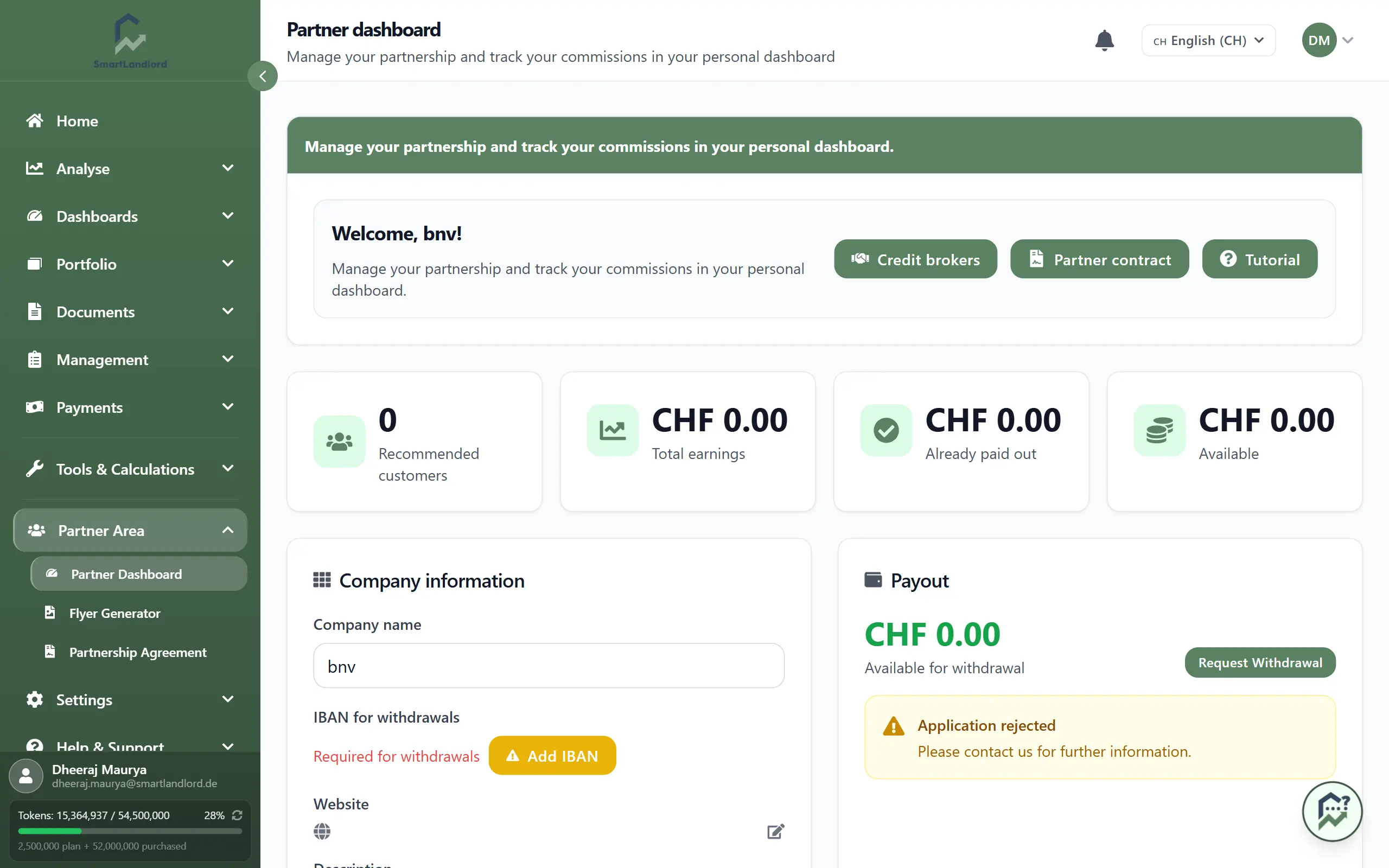
The Partner-dashboard is your hub for tracking referrals, earnings, and payouts. Open it under Partnergebied.
Use this page to see how much you have earned, share your referral links and materials, and monitor your partner tier and payout history.
The dashboard provides a central overview of your partner activity and helps you track referral performance over time.
1. At a glance
At the top, summary cards show:
- Your total referrals and earnings so far.
- The amount Beschikbaar voor opname – your current balance that can be paid out.
To withdraw, click Verzoek tot intrekking and follow the steps. You must add and verify your IBAN (bank account) before the first withdrawal.
Your IBAN must be added and verified before you can request your first withdrawal.
The summary cards provide a quick overview of your current partner status and allow you to see important information without reviewing detailed reports.
2. Share your link
Use the Share section to invite new customers:
- Couponcode: – your personal coupon code for referrals.
- Uw URL: – your individual referral link; copy and share it in emails, chats, or on your website.
- QR-code downloaden – download a QR code that opens your referral URL, ideal for print, events, or social media posts.
- Marketingmaterialen – access ready-made flyers, the partner seal, and a presentation to promote the product professionally.
Use these tools to make it easy for people to sign up through you so referrals are tracked correctly.
Before sharing referral materials, verify that your referral link, coupon code, and QR code are correct and up to date.
3. Track results
The lower part of the dashboard shows how your partner activity is performing:
- Huidig niveau: – your current partner level and your progress to the next tier (for example, based on number of referrals or revenue).
- Doorverwezen klanten ({count}) – a list of customers you have referred, including status (such as active, trial, or cancelled).
- Laatste uitbetalingen – your payout history, showing when withdrawals were made and for which amounts.
Use these lists to answer questions like:
- How many customers have I referred?
- How close am I to the next partner tier?
- When and how much have I already been paid out?
Reviewing this information regularly can help you understand how your partner activity is progressing over time.
4. Reviewing referrals
The referred customer list allows you to review referral activity in one place.
Depending on the information available, you can review:
- Referred customer records.
- Customer status.
- Referral activity.
- Progress toward partner goals.
Regularly review referral statuses to ensure you understand how referrals are progressing and contributing to your partner performance.
Regularly reviewing referral information helps ensure that you remain aware of recent partner activity.
5. Reviewing payouts
The payout section provides a record of previous withdrawals.
Use this information to review:
- Withdrawal dates.
- Withdrawal amounts.
- Recent payout activity.
Reviewing payout history can help you track previous withdrawals and verify completed payouts.
Check your payout history before requesting support about a missing or delayed payout.
6. Tips
- Review your dashboard regularly to monitor referral activity.
- Use your referral link, coupon code, or QR code consistently.
- Verify your IBAN before requesting a withdrawal.
- Review referred customer and payout information periodically.
- Keep marketing materials current when sharing them with potential referrals.
Referral tracking depends on prospects using your referral link, coupon code, or QR code when signing up.
The Partner-dashboard provides a central overview of referral performance, earnings, partner progress, and payout activity.