Contacts — Manage Tenants, Tradespeople and Service Providers
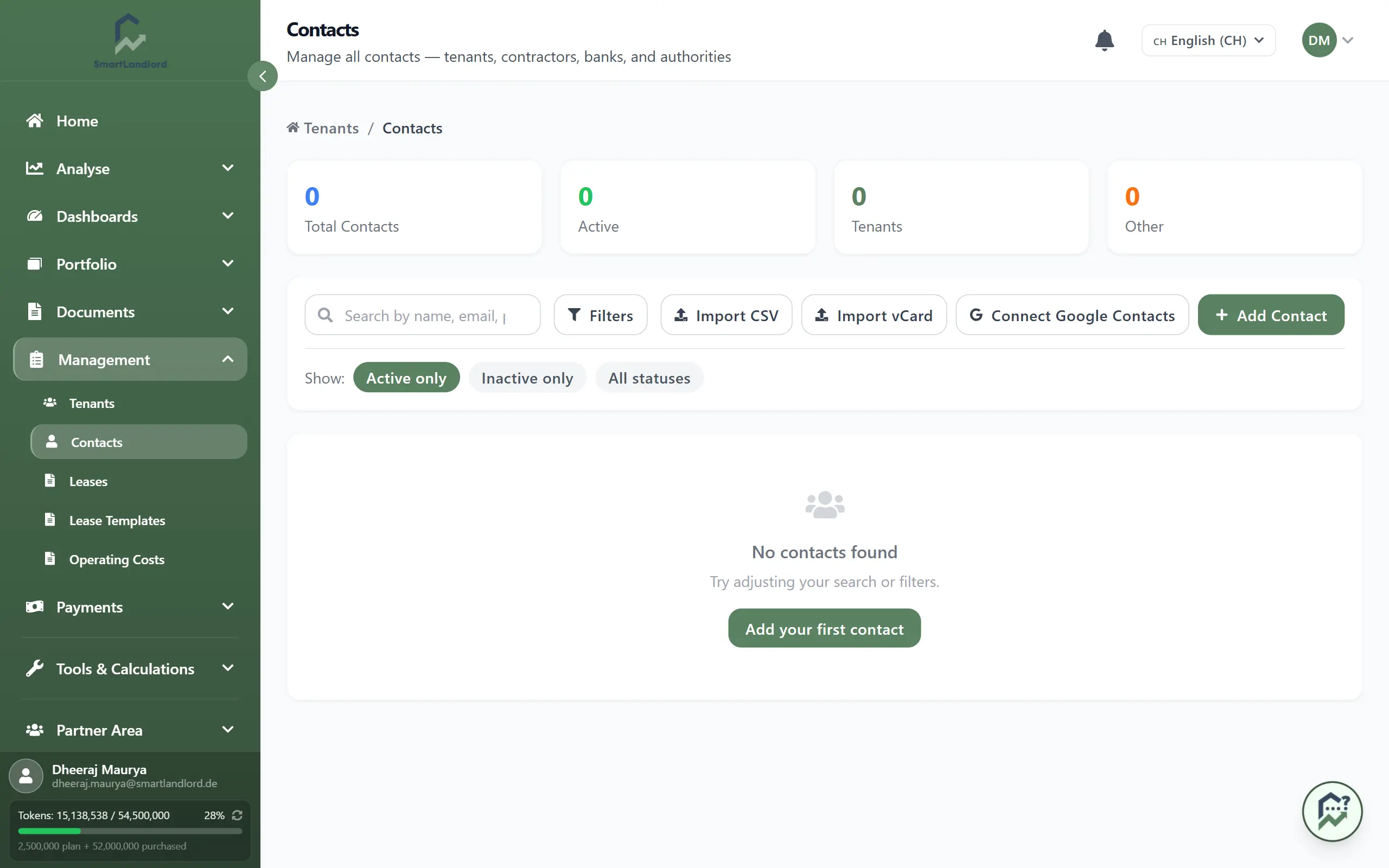
Contacten is your address book for everyone involved in your properties — tenants, contractors, banks, and authorities. Open it under Beheer → Contacten.
Having accurate contact information is essential because contacts are used throughout SmartLandlord when managing tenants, leases, payments, and property-related records.
Add or import
You can add contacts one by one or bring in many at once:
- Contact Toevoegen — create a single contact by hand with their name, contact details, and type (for example, tenant or contractor).
- CSV Importeren, VCard importeren, or Google Contactpersonen koppelen — import contacts in bulk from a file or directly from your Google account.
Use imports when you are getting started or moving from another system, and manual add when you only need to add a few new people.
What you see
The contacts overview displays all people and organizations stored in your SmartLandlord account.
From this page you can:
- View existing contacts.
- Search for specific people or organizations.
- Filter contacts by type.
- Import contact data.
- Create new contacts.
- Review contact details.
Having all contacts in one place makes it easier to manage information across different areas of the platform.
Find contacts
Use the search and filters to quickly find the person or organization you need:
- Search by name, email, or phone number.
- Filter by type (tenant, contractor, bank, authority, etc.) to narrow down the list.
- By default you see Alleen actief; switch to Alleen inactief or Alle statussen to include inactive records as well.
This makes it easy to locate the right contact when linking tenants, leases, or payments.
Contact types
Contacts can represent different people and organizations involved in your properties.
Examples include:
- Tenants.
- Contractors.
- Service providers.
- Banks.
- Insurance companies.
- Government authorities.
- Property-related business contacts.
Using the correct contact type makes it easier to organize information and find records later.
Importing contacts
Importing contacts can save time when you already maintain contact information elsewhere.
You may choose to import contacts when:
- Setting up SmartLandlord for the first time.
- Moving from another property management system.
- Transferring contacts from a spreadsheet.
- Synchronizing contacts from a supported source.
After importing contacts, review the imported records to ensure all information was transferred correctly.
Managing contact information
Keeping contact information up to date helps ensure that records remain accurate.
Review contact details periodically and update information when:
- Email addresses change.
- Phone numbers change.
- Organizations update their contact information.
- A contact changes their role or relationship to a property.
Maintaining accurate records helps reduce confusion and makes it easier to work with related property information.
Note on deleting
Deleting a contact marks it inactive rather than removing it completely. You can still find and review it later under Alleen inactief.
Historic data (such as past tenants or old contractors) remains available for reports and audits, while your active list stays clean.
Working with inactive contacts
Inactive contacts remain available for historical reference.
This is useful when reviewing:
- Previous tenants.
- Former contractors.
- Older property records.
- Historic transactions and documents.
Keeping historical contacts available helps preserve relationships between records and prevents information from being lost.
Best practices
- Use clear and complete contact information.
- Assign the correct contact type.
- Review imported contacts after import.
- Keep phone numbers and email addresses up to date.
- Use inactive status instead of removing important historical records.
Maintaining accurate contacts helps ensure that related information throughout SmartLandlord remains organized and easy to find.