Scenarios — Model and Compare Investment Strategies
Use ScenariosCheck to test different investment scenarios and understand how changes in financing, rent, costs, or property value may affect the performance of a property.
Scenario analysis helps you compare multiple assumptions side by side before making investment decisions.
Opening Scenario Analysis
To access scenario analysis:
1. Open the property you want to analyze.
2. Navigate to ScenariosCheck.
3. Select an existing scenario or create a new one.
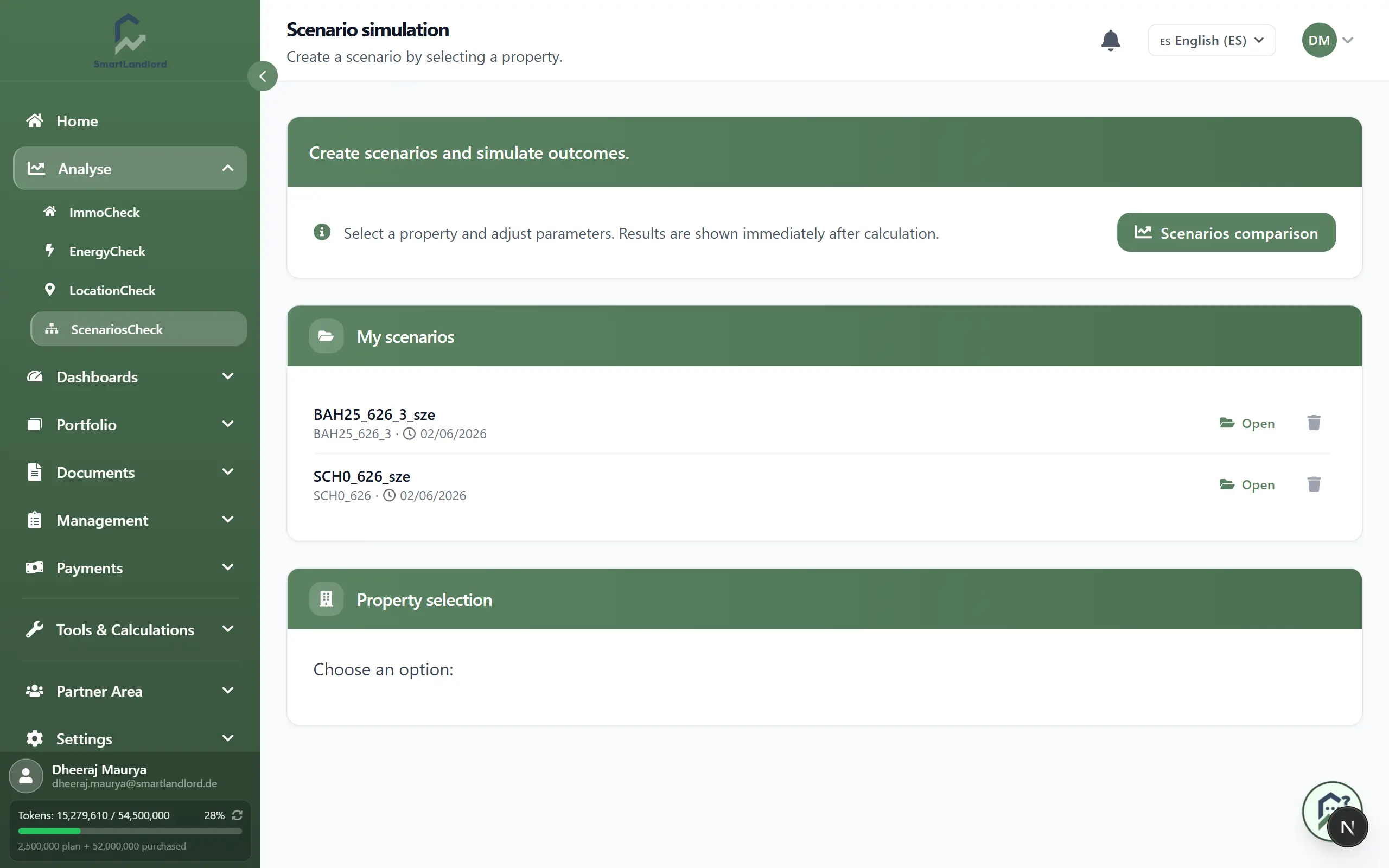
The system loads the current property data as a starting point for your analysis.
Scenario changes do not modify your original property data. They are used only for comparison and analysis purposes.
Using the existing property information as a starting point makes it easier to evaluate the impact of potential changes without modifying the original property data.
Creating a scenario
A scenario is an alternative version of your property assumptions.
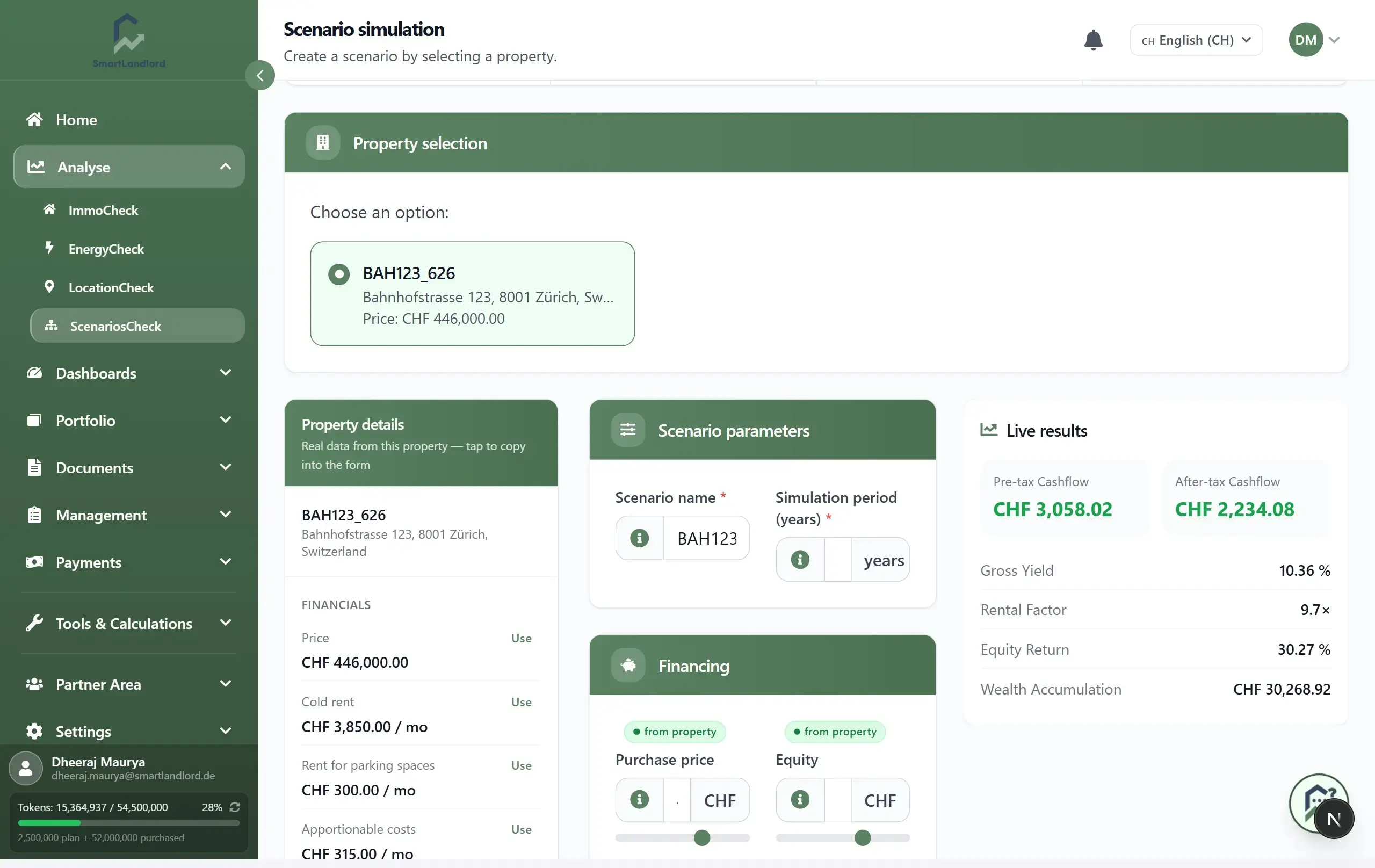
You can create scenarios to test questions such as:
- What happens if rent increases?
- How does a higher interest rate affect cashflow?
- What if operating costs rise?
- How does a different purchase price impact returns?
- What happens if the property value grows faster or slower than expected?
After creating a scenario, adjust the relevant values and save your changes.
Creating multiple scenarios allows you to evaluate different assumptions and compare possible outcomes before making decisions.
Use realistic assumptions whenever possible. Unrealistic values may produce misleading results and comparisons.
Comparing scenarios
Multiple scenarios can be compared side by side.
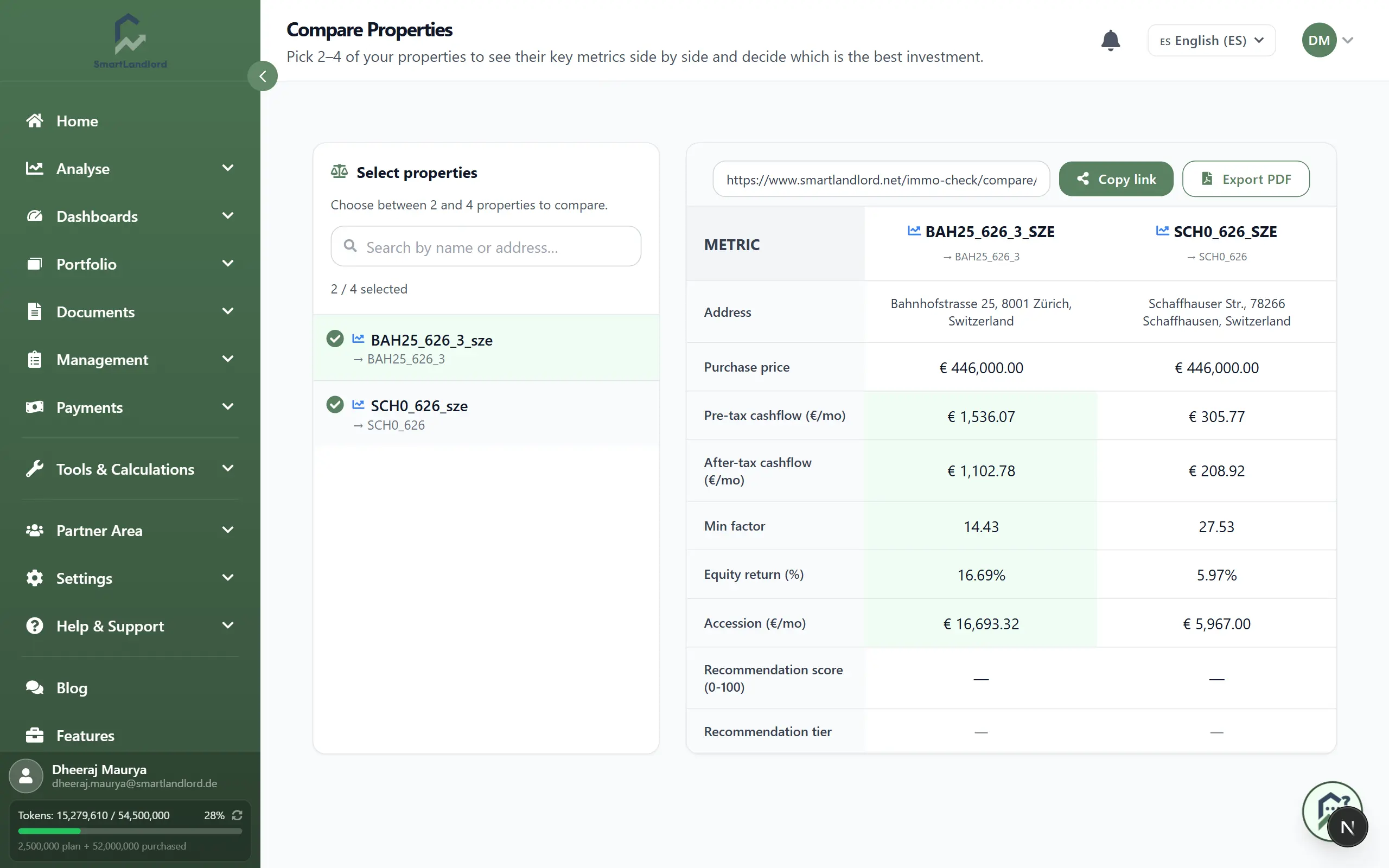
Typical comparisons include:
- Cashflow
- Yield
- Return on equity
- Financing costs
- Property value development
- Break-even calculations
This makes it easier to understand how different assumptions influence the overall investment outcome.
Comparing results side by side can help you identify which assumptions have the greatest impact on property performance.
Compare scenarios using the same time horizon and evaluation criteria to ensure meaningful results.
Reviewing results
After updating a scenario, SmartLandlord recalculates the analysis automatically.
Use the results to:
- Evaluate investment opportunities.
- Compare financing options.
- Plan future rent increases.
- Understand potential risks.
- Prepare for different market conditions.
Reviewing multiple scenarios helps you make more informed decisions before committing to changes or new investments.
The recalculated results provide an updated view based on the values entered into the scenario and can help you understand how different assumptions affect performance.
Scenario results are based entirely on the assumptions entered. Always review assumptions before relying on the calculated outcomes.
Working with multiple scenarios
It can be useful to create several scenarios for the same property.
For example, you may want to review:
- Different financing assumptions.
- Different rent assumptions.
- Different operating cost assumptions.
- Different property value assumptions.
Keeping separate scenarios allows you to review and compare different approaches without replacing previous analyses.
Reviewing assumptions
Before relying on scenario results, review the assumptions used in each scenario.
Check that:
- Financing values are correct.
- Rent values reflect the intended scenario.
- Cost assumptions are reasonable.
- Property values match the scenario being tested.
Small changes in financing rates, rent growth, or operating costs can significantly affect long-term projections and investment returns.
Carefully reviewing assumptions helps ensure that comparisons remain meaningful and easier to interpret.
Best practices
- Create separate scenarios for optimistic, realistic, and conservative assumptions.
- Change only a few variables at a time when comparing results.
- Review financing and rent assumptions regularly.
- Use scenario analysis before purchasing a property or refinancing an existing loan.
- Compare multiple scenarios before making major investment decisions.
Scenario analysis is a decision-support tool. Use it together with property inspections, market research, financing reviews, and professional advice when making major investment decisions.
Scenario analysis is designed to help you understand how different assumptions affect property performance so you can make investment decisions with greater confidence.