LocationCheck — Assess Your Property's Location Quality
The LocationCheck scores a property’s location from its address. It analyses infrastructure and socio-economic factors to help you compare locations and support investment decisions.
The location assessment should be used as a decision-support tool. It is most valuable when combined with financial analysis, property condition, market research, and local knowledge.
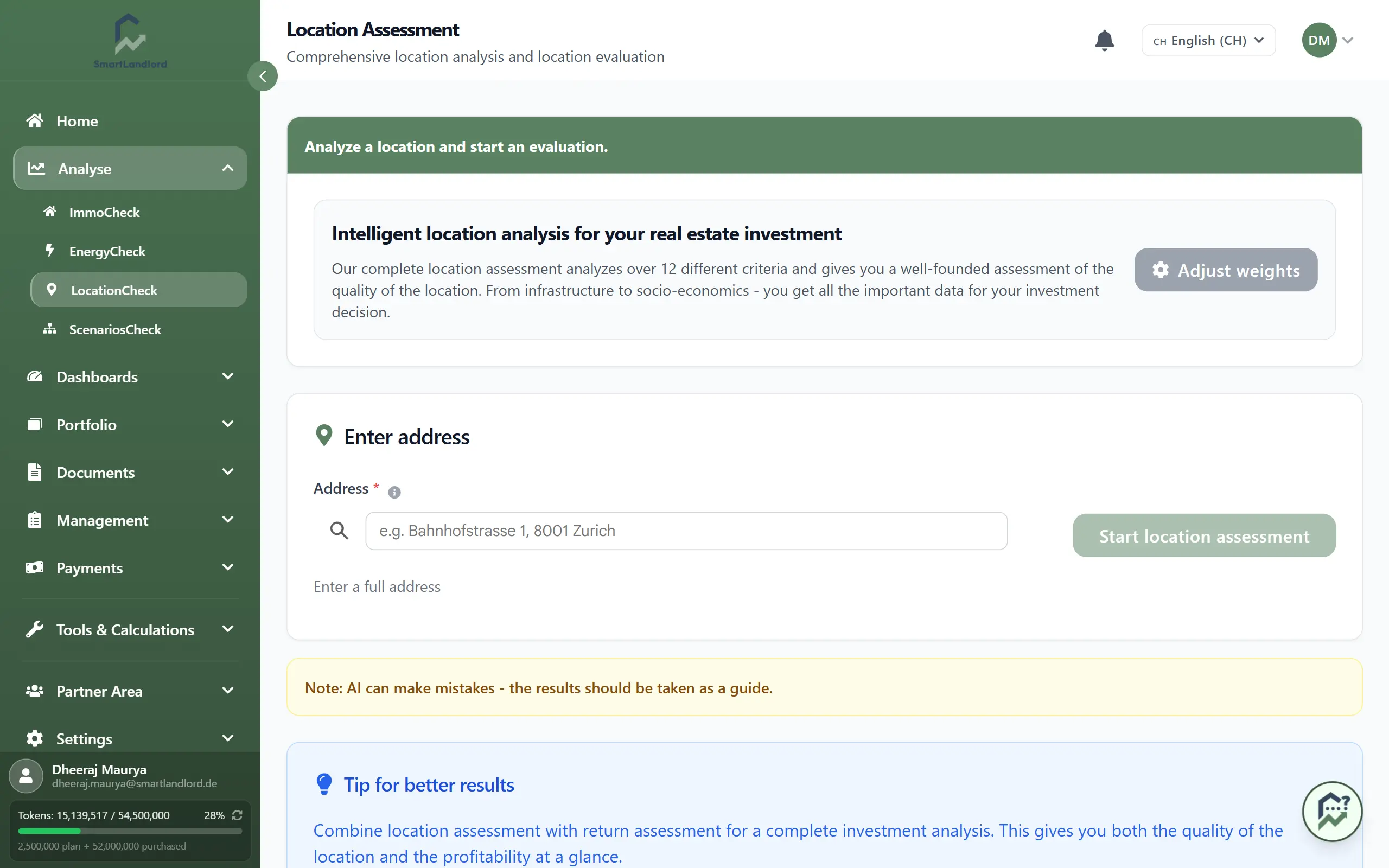
1. Open LocationCheck from the sidebar.
2. Enter the Adres.
- Include the Postcode for a full socio-economic assessment.
3. Check that the address is recognised (for example, on a mini map or in address suggestions).
4. Click Beoordeling startlocatie.
The system generates a report with an overall score, breakdowns, and recommendations.
Always include the postal code whenever possible. Missing postal code information may reduce the quality and completeness of the assessment.
2. Understand your result
After the assessment, you see a report with:
- Overall location score – a single score summarising how strong the location is.
- Infrastructure breakdown – scores for transport, local services, and other infrastructure.
- Socio-economic breakdown – indicators for demographics, income, employment, and area trends.
- Aanbevelingen – practical suggestions (for example, tenant type, risks, points to check on-site).
Use the breakdowns to understand why a score is high or low and to compare different addresses.
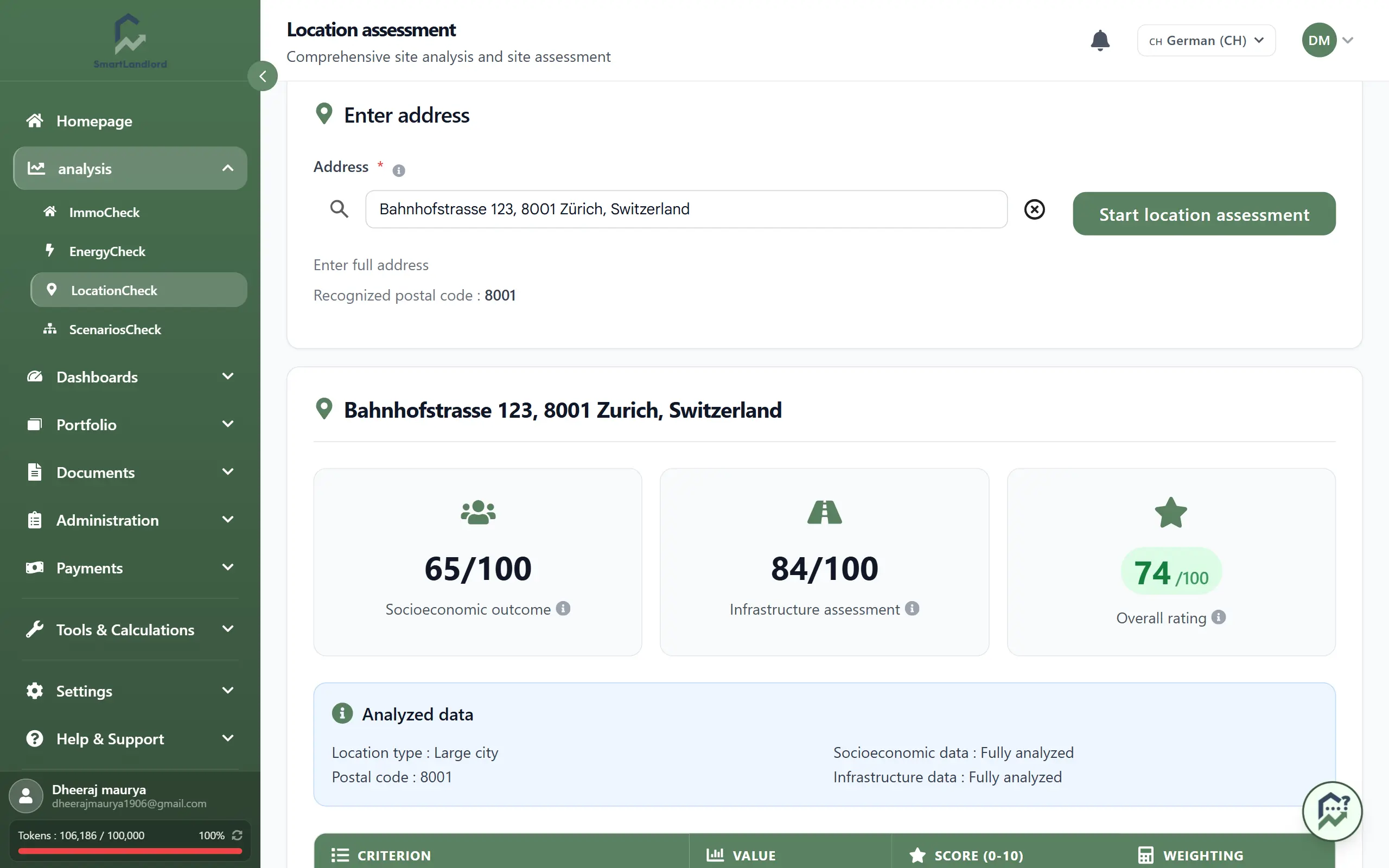
Do not rely solely on the overall score. Review the infrastructure, socio-economic, and recommendation sections to understand the factors influencing the result.
The overall score should be reviewed together with the individual assessment categories. Two locations may have similar overall scores while having different strengths and weaknesses. Reviewing the detailed results can help you better understand the factors that influence the assessment.
3. PDF-rapport maken
To save or share the assessment:
1. Open the desired location assessment.
2. Click PDF-rapport maken.
3. Save the generated PDF.
Use the PDF for investment notes, partner discussions, or property documentation.
If you run a new assessment later, generate a new PDF so the report reflects the latest available results.
The PDF contains the information available at the time the assessment was generated.
4. Reviewing the report
After the assessment has finished, take time to review all sections of the report.
The overall score provides a summary, while the detailed categories help explain how the result was calculated. Reviewing both can provide a more complete understanding of the assessed location.
When reviewing the assessment:
- Check the overall score.
- Review infrastructure-related information.
- Review socio-economic indicators.
- Read the recommendations carefully.
- Compare the detailed sections with your own knowledge of the area.
Looking beyond the overall score can help you better understand the strengths and weaknesses identified by the assessment.
5. Running another assessment
You can run additional assessments for other addresses whenever required.
Using the same assessment process for multiple locations can help you review properties consistently and understand how different locations compare.
Make sure that the address and postal code are entered correctly before starting each assessment.
6. Tips and important note
- Use location scores to compare addresses, not as the only decision factor.
- Combine the score with your financial analysis, property condition, and on-site impressions.
- Review the detailed assessment sections instead of relying only on the overall score.
AI can make mistakes — treat the results as a guide, not a guarantee.
Always double-check key details (for example, local regulations, school catchment areas, or planned developments) and, for major decisions, visit the area or consult a local expert.
The location assessment is intended to support your research process and should be considered together with other property and investment information.