EnergyCheck — Analyze Your Property's Energy Consumption
The EnergyCheck estimates a property's energy efficiency based on its energy consumption data. It helps you understand how efficient the building is today, and what its heating costs and CO₂ impact might look like.
The accuracy of the results depends entirely on the quality and completeness of the data you enter.
Use this tool when you are evaluating a property, planning upgrades, or want to compare energy performance across your portfolio.
1. Enter the details
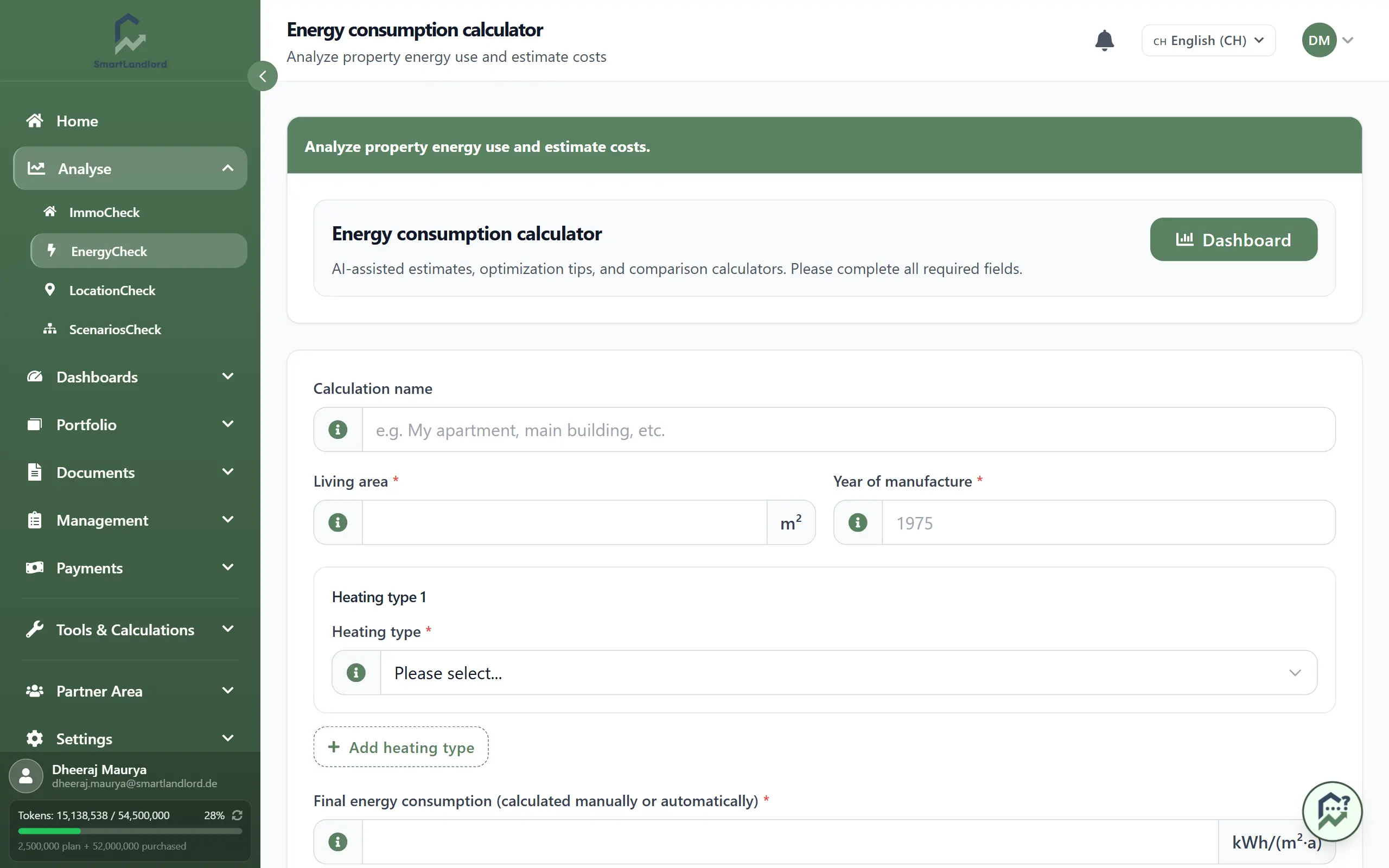
On the energy check page, fill in the basic property and consumption information:
- Enter Woonoppervlak and Jaar van productie.
These let the calculation normalise consumption per square metre and consider building age.
- Add at least one Type verwarming, with last year's consumption if you have it.
You can add several heating sources if the property uses more than one (for example, gas and electric).
Make the data as complete and accurate as possible – the results are only as good as the numbers you provide.
2. Analyze
Click Nu analyseren to run the calculation.
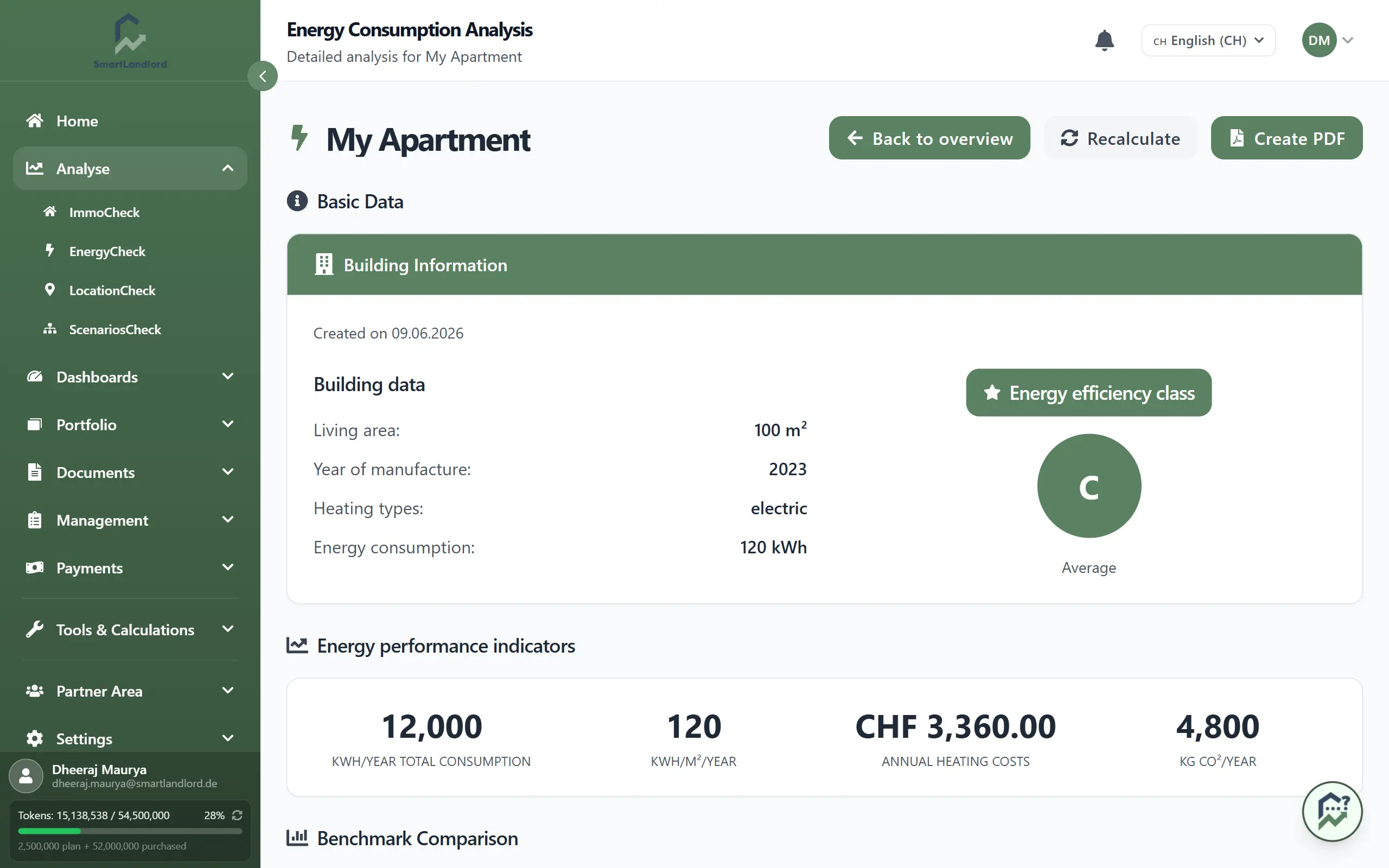
The result shows:
- An Energieefficiëntieklasse (A+ to G) for the property.
- Estimated annual heating costs and CO₂-emissies.
- A Benchmarkvergelijking, so you can see how the property compares to typical buildings.
- Suggestions for improvements that could reduce consumption or emissions (for example, insulation, heating system upgrades, or behaviour changes).
- A PDF report you can download and keep for your records or share with others.
Use these results to prioritise energy upgrades, estimate cost savings, and understand the environmental impact of your properties.
3. Important note about AI
AI can make mistakes — treat the results as a guide, not as official certification.
The energy check uses data and AI to estimate efficiency, costs, and emissions. It is not a substitute for a professional energy audit or official certification.
For legal, compliance, or major investment decisions, combine these results with:
- Professional energy assessments.
- Local regulations and standards.
- On-site inspections by qualified experts.
Reviewing the input data
Before running the analysis, review all entered information carefully.
Check that:
- The living area is correct.
- The year of construction is correct.
- The selected heating type matches the property.
- Consumption values have been entered accurately.
Incorrect or incomplete information may significantly affect the calculated results.
Understanding the analysis
After clicking Nu analyseren, SmartLandlord processes the information provided and generates the results.
The analysis is based on the data entered into the form. If information changes later, update the values and run the analysis again.
Re-run the analysis whenever property information or consumption data changes so the results remain current.
Using the PDF report
After the analysis is complete, you can download the generated PDF report.
The report provides a record of the calculated results and can be saved for future reference.
If you update the property information or consumption values, generate a new report so that it contains the latest analysis results.