Track Rent Payments and Rental Income
Use the Inkomsten page to track rent and other income across all your properties.
It gives you a clear overview of how much income you expected to receive, how much has already been collected, and which tenants still have outstanding payments.
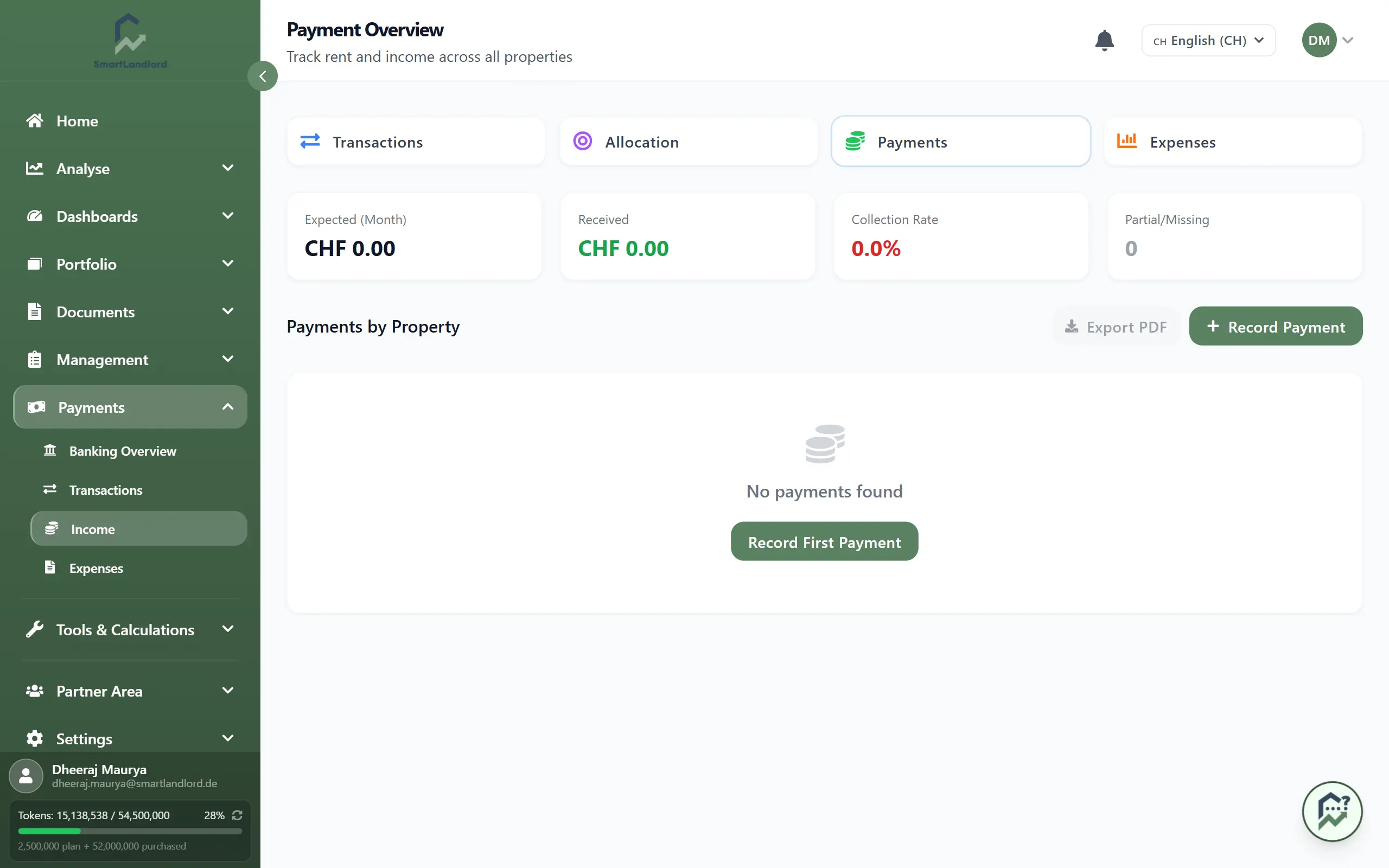
What you see
The Income page is organized by property.
For each property, you can see:
- Expected amount for the selected period.
- Received amount recorded so far.
- Incassopercentage showing how much of the expected income has been collected.
- Status indicators for unpaid, partially paid, or fully paid tenants.
Expanding a property displays the individual tenants or leases associated with that property, including:
- Tenant name.
- Expected payment amount.
- Received amount.
- Current payment status.
This allows you to quickly identify:
- Which tenants have already paid.
- Which payments are still pending.
- Whether any payments were only partially received.
Reviewing this information regularly can help you understand how income is being collected across your portfolio and identify records that may require attention.
Collection rates, tenant payment statuses, and property totals depend on accurate payment records being entered and maintained.
Payment statuses
Each tenant is assigned a status based on the recorded payments.
Received
The full expected amount has been paid for the selected period.
Partial
Only part of the expected amount has been received. A remaining balance is still due.
Overpaid
The received amount is higher than the expected amount. This may happen when a tenant pays in advance or includes additional charges.
These statuses help you quickly identify tenants who require follow-up.
Regularly review Partial and Overpaid statuses to ensure balances, credits, and outstanding amounts are handled correctly.
Understanding payment statuses makes it easier to review income records and determine which payments may still require attention.
Recording a payment
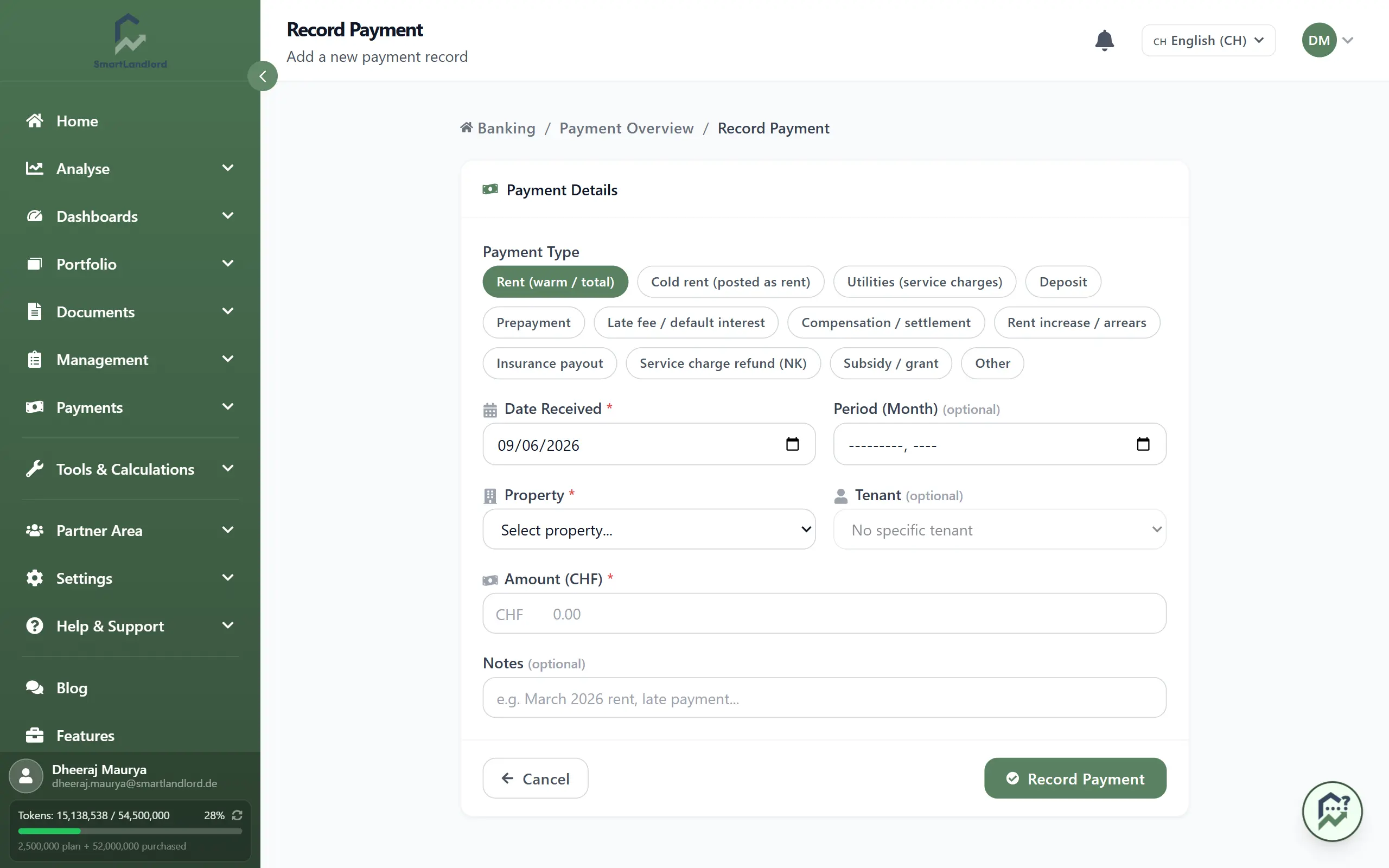
Whenever you receive rent or other income, record it using Betaling toevoegen.
To record a payment:
1. Open Inkomsten.
2. Click Betaling toevoegen.
3. Select the property and tenant.
4. Enter the payment amount.
5. Select the payment date.
6. Add optional notes if required.
7. Save the payment.
After saving:
- The received amount updates automatically.
- Tenant statuses are recalculated.
- Property totals and collection rates are refreshed.
Record payments as soon as they are received. Delayed or missing entries can result in incorrect collection rates, tenant statuses, and income reports.
Accurate payment records help ensure that income information remains current and reflects the latest available data.
Reviewing income information
The Income page can be used to review income performance across multiple properties.
When reviewing the page, consider checking:
- Properties with lower collection rates.
- Tenants with partial payments.
- Recently recorded payments.
- Outstanding amounts that may still be due.
Properties with consistently low collection rates or recurring partial payments may require follow-up and further investigation.
Regular reviews can help you stay informed about income activity and payment collection progress.
Exporting payment summaries
Use PDF exporteren to generate a payment report for your records.
The exported PDF may include:
- Properties included in the report.
- Tenants and leases.
- Expected amounts.
- Received amounts.
- Payment statuses.
- Total income collected during the selected period.
This is useful for accounting, tax preparation, investor reporting, and maintaining historical records.
The exported report provides a snapshot of the income information available at the time it was generated.
Verify payment records before exporting reports to ensure the generated PDF reflects the latest available income information.
Best practices
- Record payments as soon as they are received.
- Review partial payments regularly and follow up when necessary.
- Monitor collection rates to identify properties with recurring payment issues.
- Export monthly summaries to maintain organized financial records.
- Review payment records periodically to keep information accurate.
The Income page provides a central place to monitor rental income and quickly understand who has paid, who still owes rent, and how your properties are performing from a cash collection perspective.